Most security camera guides are written for homeowners who want to watch their front porch. This one is written for landlords who need to protect an asset they don’t live in.
The requirements are different. You need cameras that work without constant intervention, don’t require a subscription to access footage, can survive tenant tampering attempts, and won’t cause a legal problem in the states where you operate. You also need to know exactly where you can and cannot legally place them — California landlord-tenant law is specific on this, and getting it wrong is an expensive mistake.
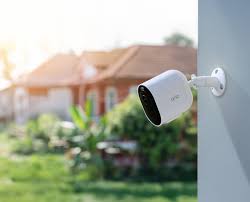
What Makes a Security Camera “Landlord-Grade”
No subscription required for core functionality. A $10/month monitoring plan costs $360 over 3 years — more than many cameras cost to buy. Cloud storage is convenient, but a landlord-grade setup stores footage locally (microSD or NVR) so you’re not paying monthly forever and you’re not locked out of your own footage if you cancel a plan.
Weatherproof and tamper-resistant. Exterior cameras on rental properties get exposed to SoCal sun, coastal moisture, and occasionally irritated tenants. IP65 or IP66 weatherproofing is the minimum. Cameras mounted out of reach and with tamper alerts are better.
Remote access without being on-site. You need to pull footage from your phone when a tenant calls about a break-in — not drive 40 minutes to the property. Every camera on this list offers live view and recording access via mobile app.
AI detection over raw motion alerts. A camera that triggers every time a car drives by is a camera you stop checking. AI-powered person/vehicle/package detection dramatically reduces false alert fatigue and makes sure you actually look when something matters.
Long battery life or wired options. Battery cameras on rental properties need to last 3–6 months minimum, or you’re making quarterly maintenance trips. Wired cameras eliminate battery management entirely if you have a power source nearby.
California Legal Basics Before You Install Anything
This is non-negotiable to cover before any product recommendation.
Exterior cameras: Legal. You can install cameras covering entrances, driveways, parking areas, and the exterior of the structure. Document camera locations in your lease agreement.
Interior cameras: Illegal in rental units. California Penal Code 647(j) prohibits recording in areas where tenants have a reasonable expectation of privacy — bedrooms, bathrooms, and interior living spaces. Installing an interior camera in a tenant’s unit is a criminal offense. No exceptions.
Common areas in multi-unit buildings: Legal with proper disclosure. Laundry rooms, hallways, parking lots, and building entrances can be monitored. Tenants should be notified in writing.
Disclosure requirement: Include camera locations in the lease agreement. A simple clause — “Exterior security cameras are installed at [locations] and monitored by the landlord for property security purposes” — is sufficient.
Audio recording: California is a two-party consent state. Cameras with audio recording in areas where tenants have reasonable expectation of privacy can create legal exposure. Disable audio on cameras near windows or doors that might capture conversations inside tenant units. Exterior perimeter cameras with audio are generally fine.
The 5 Best Security Cameras for Rental Properties in 2026
1. Arlo Pro 5S — Best Overall
Price: ~$250–$300 per camera
Resolution: 2K QHD
Power: Wireless (rechargeable battery) or solar with add-on panel
Storage: Local USB, microSD, or Arlo Secure cloud ($5–$10/month)
Weatherproof: IP65
AI Detection: People, vehicles, animals, packages
Best for: Single-family rentals; front entries; high-visibility coverage areas
The Arlo Pro 5S is the top-rated landlord security camera in 2026 for a reason. The 2K QHD resolution captures faces and license plates clearly — not the blurry silhouettes you get from budget 1080p cameras. Color night vision (not just infrared) means footage is actually usable for identification at night, which is when most property incidents occur.
The 94% motion detection accuracy with AI-powered smart detection is the standout spec for landlords. You get alerted when it matters — when a person approaches the door at 2 a.m. — not when a car passes or a branch moves. On a property you’re not monitoring constantly, the signal-to-noise ratio of your alerts is everything.
The local USB storage option means you can run this camera completely subscription-free. Plug in a USB drive, set it to record motion events, and pull footage via the app when needed. The Arlo Secure plan adds cloud backup and package detection if you want the redundancy.
Battery life is the trade-off: rated 3–6 months depending on activity level. High-traffic properties will see shorter battery cycles. The optional solar panel add-on (~$40) effectively eliminates battery management on properties with sun exposure.
[Check Current Price on Amazon →]
2. Eufy SoloCam S340 — Best No-Subscription Option
Price: ~$130–$160
Resolution: 3K (dual lens: 2K wide + 3K zoom)
Power: Solar (continuous, no battery changes)
Storage: Built-in 8GB local storage (no subscription required)
Weatherproof: IP67
AI Detection: People, vehicles
Best for: Landlords who want zero ongoing costs; exterior perimeter coverage
The Eufy SoloCam S340 is the best camera on this list if your goal is zero subscription cost and zero battery maintenance. Solar-powered with built-in 8GB local storage — no cloud plan required, ever. For a landlord managing multiple properties, eliminating per-camera monthly fees across a portfolio adds up fast.
The dual-lens design is genuinely useful for rental properties: a wide 2K lens covers the broad area, and a 3K zoom lens captures detail on faces and license plates at distance. Most single-lens cameras force a trade-off between coverage width and detail resolution. The S340 solves both.
IP67 weatherproofing is the highest rating on this list — it handles rain, dust, and SoCal coastal conditions without issue.
One limitation: the 8GB onboard storage cycles through footage faster on high-traffic properties. Configure motion sensitivity carefully to avoid filling storage with irrelevant triggers.
[Check Current Price on Amazon →]
3. Google Nest Cam (Battery) — Best for Smart Home Integration
Price: ~$180
Resolution: 1080p HDR
Power: Wireless (rechargeable battery, ~1.5–7 months)
Storage: Google Home cloud (3 hours free; Nest Aware $6/month for 30 days)
Weatherproof: IP54
AI Detection: People, vehicles, animals
Best for: Landlords already in Google ecosystem; properties with Google smart locks or doorbells
The Nest Cam’s advantage is ecosystem depth. If you’re running Google Nest smart locks, a Nest doorbell, or managing properties through Google Home, the Nest Cam integrates natively — one app, one notification system, unified access control and camera monitoring. For a landlord who wants to add cameras to a Nest ecosystem they’ve already built, the integration is seamless.
The camera hardware is solid: 1080p HDR, intelligent alerts, and a 130-degree field of view. The trade-off versus Arlo and Eufy is the mandatory cloud dependency — the free tier only provides 3 hours of event history. The Nest Aware plan at $6/month per property gives you 30 days of history, which is reasonable but is a recurring cost the Eufy avoids entirely.
IP54 weatherproofing is lower than Arlo (IP65) or Eufy (IP67) — adequate for most SoCal conditions but worth noting if the camera will be fully exposed in a coastal or wet location.
[Check Current Price on Amazon →]
4. Ring Stick Up Cam Pro — Best for Video Doorbell Integration
Price: ~$180–$200
Resolution: 1080p HDR
Power: Wired, battery, or solar
Storage: Ring Protect cloud ($4–$10/month required for recording)
Weatherproof: IP55
AI Detection: People, motion zones, 3D motion detection
Best for: Properties already using Ring doorbells; landlords who want plug-and-play setup
Ring’s biggest advantage for landlords is familiarity — both yours and your tenants’. Ring is the most widely recognized security camera brand in residential real estate. If you already have Ring video doorbells on your properties, adding Ring Stick Up Cams keeps everything in one app with one subscription.
The Ring Protect plan ($4/month per camera or $10/month for unlimited cameras on one property) is the affordable end of cloud storage subscriptions. For a landlord managing a single property with 2–3 cameras, $10/month all-in for full event recording is reasonable.
The caveat: Ring requires the cloud subscription to save any footage at all. If you cancel Protect, cameras still provide live view but nothing records. For landlords who need footage access for disputes or police reports, that subscription isn’t optional.
[Check Current Price on Amazon →]
5. Wyze Cam v3 Pro — Best Budget Option
Price: ~$35–$50
Resolution: 2K
Power: Wired (outdoor-rated cable included)
Storage: microSD (up to 256GB) or Cam Plus cloud ($1.99/month)
Weatherproof: IP65
AI Detection: People, vehicles, pets (with Cam Plus)
Best for: Budget landlords; supplemental coverage; non-critical angles
At $35–$50, the Wyze Cam v3 Pro delivers specs that cameras costing 3–4x more barely match. 2K resolution, IP65 weatherproofing, color night vision, and local microSD storage at sub-$50 per camera is genuinely competitive.
The limitations are real: Wyze’s AI detection (person/vehicle differentiation) requires the Cam Plus subscription at $1.99/month per camera. Without it, you get motion alerts but not smart detection — which means more false alerts. At $2/month, the subscription is the cheapest on this list, and the combination of $50 camera + $2/month monitoring is still the most affordable complete setup available.
Use Wyze for supplemental coverage angles — a secondary entrance, a parking area, a detached garage — where you want coverage but the budget doesn’t support a $200+ camera per location. Don’t use Wyze as your only camera on a high-priority coverage area.
[Check Current Price on Amazon →]
Security Camera Comparison Table
| Camera | Price | Resolution | Power | Subscription | Weatherproof | Best For |
|---|---|---|---|---|---|---|
| Arlo Pro 5S | $250–$300 | 2K QHD | Battery/Solar | Optional ($5–10/mo) | IP65 | Best overall, AI detection |
| Eufy SoloCam S340 | $130–$160 | 3K dual | Solar | None required | IP67 | Zero ongoing cost |
| Google Nest Cam | ~$180 | 1080p HDR | Battery | $6/mo for history | IP54 | Google ecosystem |
| Ring Stick Up Pro | $180–$200 | 1080p HDR | Wired/Battery/Solar | $4–10/mo (required) | IP55 | Ring ecosystem |
| Wyze Cam v3 Pro | $35–$50 | 2K | Wired | $2/mo for AI | IP65 | Budget, supplemental |
Camera Placement Guide by Property Type
Single-family rental (recommended: 2–3 cameras)
- Front door / entry (most important — captures arrivals, deliveries, and incidents at the most-used access point)
- Driveway / parking area (license plate capture)
- Back door or rear access (if applicable)
Duplex (recommended: 3–4 cameras)
- Shared front entry
- Parking area
- Rear access
- Each unit’s individual entry if separate
Multi-unit building (recommended: 1 camera per 2–3 units)
- Building entrance(s)
- Parking lot
- Mailbox/package area
- Laundry room or common area
Budget target: $200–$400 per property for complete exterior coverage using subscription-free cameras (Eufy + Wyze combination at the budget end; full Arlo setup at the premium end).
The Landlord Pick
Best overall, no subscription: Eufy SoloCam S340 at primary entry points + Wyze Cam v3 Pro for supplemental coverage. Solar-powered Eufy at the front, wired Wyze cameras at secondary angles. Zero monthly subscription cost, IP67 weatherproofing, and 3K resolution on your most important angle.
Best if you want premium coverage: Arlo Pro 5S at all locations. AI detection accuracy and battery life are the best on this list, and the optional solar panel eliminates maintenance.
Best for Ring/Google ecosystem: Buy into the ecosystem you’re already using. The integration value outweighs minor spec differences.
Disclosure: FlipperGrade.com uses affiliate links. If you purchase through links on this page, we may earn a commission at no additional cost to you. We only recommend products we’d install on our own rental properties.